What should you tell us about the button?
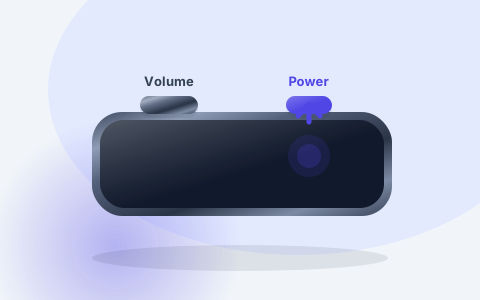
Tell us which button is affected, such as power, volume or home, and whether it’s stuck or loose, needs a hard press or clicks without doing anything. Mention if it started after a drop, a spill or an earlier repair. If your phone is in a case, take it off and see if the button works differently.
What happens when you bring it in?
We check the button, how it responds and any damage around it. Sometimes the problem isn’t the button itself but something else in the phone, and if we find that, we tell you. Then we let you know whether a repair is available for your model, what it costs and how long it should take.
Will fingerprint unlocking still work?
On some phones, the home or power button also reads your fingerprint, and a replacement button may not bring back fingerprint unlocking. We tell you before any work starts, so you can decide. Make sure you know your passcode, so you can still unlock your phone if fingerprint unlocking doesn’t work afterwards.
How can you use your phone until it’s repaired?
Many phones have accessibility settings that put home, volume or lock controls on the screen. Look in your phone’s settings, or ask us where to find them for your model. Don’t force a stuck button, and don’t spray cleaner or any other liquid around it. If your phone still works, back it up first.
Not sure how to back up? Follow Apple’s iCloud backup guide for an iPhone or Google’s Android backup guide for Samsung, Pixel and other Android phones.
How much does it cost, and how long does it take?
Diagnosis is free. After we check your phone and see which parts are available, we tell you the price and how long the repair should take. Work only starts once you agree, and if we can’t fix it, you don’t pay a repair fee. The table below sums up what to expect.
Button repairs come with our 3-month repair warranty. Terms apply, so ask us what’s covered before you go ahead.